
24 September 2026
How Many Leads Should Your Website Actually Generate Each Month?
You check your enquiry form submissions at the end of the month and have no idea if the number is good, bad, or average. Ten leads could be a win for one business and a warning sign for another. The number means nothing without context. Here’s how to actually benchmark it.
Why “leads per month” is the wrong first question
Before you can judge a number, you need to know two things: how much traffic your site is actually getting, and what your traffic-to-lead conversion rate looks like. A site with 500 visitors a month generating 10 leads is converting at 2%. Solid. A site with 5,000 visitors generating the same 10 leads is converting at 0.2%, means something’s broken, even though the raw lead count looks identical.
The number that actually matters is conversion rate, not lead count. Traffic will vary with the season, ad spend, and search rankings. Conversion rate tells you whether the site itself is doing its job once someone lands on it.
Realistic conversion rate benchmarks
These vary by industry and by how “considered” the purchase is, but as a general working range for Malaysian SME websites:
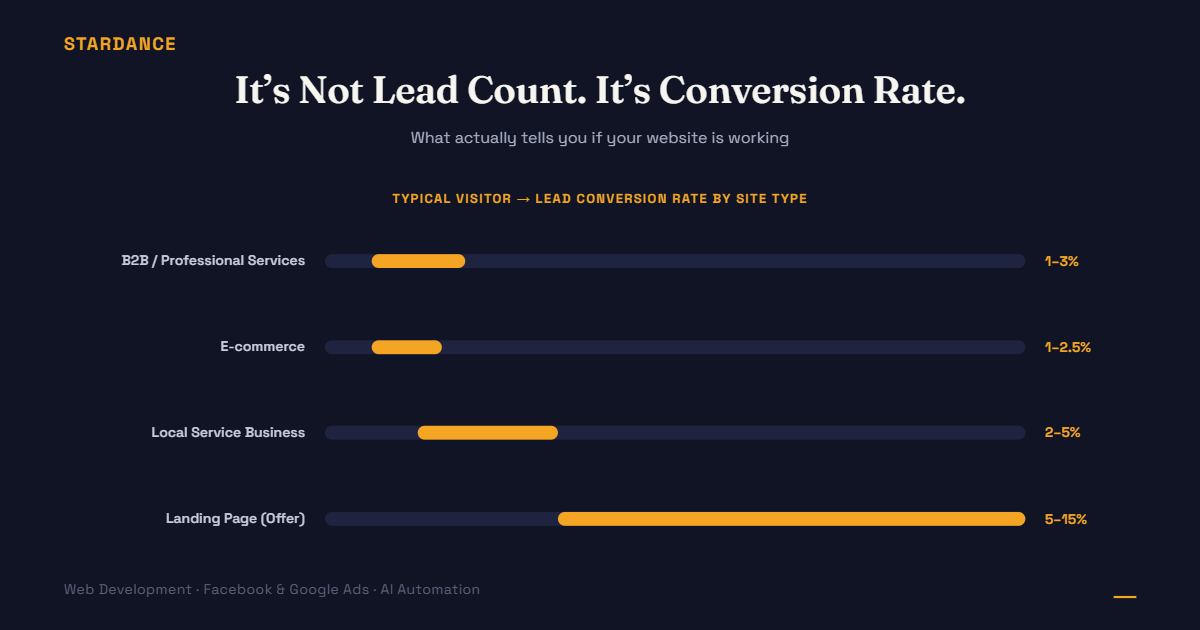
| Site type | Typical conversion rate (visitors → leads) |
|---|---|
| High-consideration B2B / professional services | 1% – 3% |
| E-commerce (visitor → purchase) | 1% – 2.5% |
| Local service business (clinics, contractors, agencies) | 2% – 5% |
| Landing page for a specific offer/campaign | 5% – 15% |
If you’re sitting well below the low end of your category, the issue is usually one of a handful of things, not “we need more traffic.”
The usual culprits when conversion rate is low
- The call-to-action is unclear or buried. If a visitor has to scroll or hunt to find how to contact you, most won’t bother.
- The form asks for too much, too soon. Every extra field is a reason for someone to abandon it. Name, contact number, and one qualifying question is often enough at the enquiry stage.
- The page doesn’t answer the visitor’s actual question fast enough. If someone lands looking for pricing or availability and has to dig through paragraphs to find it, they’ll leave for a competitor’s site instead.
- There’s no trust signal near the decision point. A testimonial, a client logo, a clear “here’s what happens after you enquire”. Small additions placed right next to the form measurably change whether people fill it in.
- Mobile experience is an afterthought. Most Malaysian traffic is mobile-first. A form or button that’s awkward to tap on a phone quietly kills conversions that desktop testing won’t catch.
How to actually check your number
- Pull your traffic for the last 30 days (Google Analytics, or ask whoever manages your ads/SEO for the figure).
- Divide total leads (form submissions, WhatsApp clicks, calls tracked from the site) by total visitors.
- Compare that percentage, not the raw lead count, against your category above.
If you don’t currently have a way to see this number at all, that’s the actual first problem to fix, before worrying about whether the number itself is good.
What “improving” actually looks like
Doubling your traffic without touching conversion rate doubles your ad spend and your leads at the same cost per lead. It doesn’t make your website perform better, it just does more of the same. Fixing a conversion rate problem, on the other hand, means every visitor you’re already paying to bring in becomes more likely to turn into a lead — which lowers your cost per lead without spending a single extra ringgit on ads.
Not sure what your site’s actual conversion rate is, or want a second pair of eyes on where visitors are dropping off before they enquire? [See how we approach conversion-focused web development →]