
20 October 2026
FAQ: Do I Need SSL/HTTPS, and Does It Affect My Google Ranking?
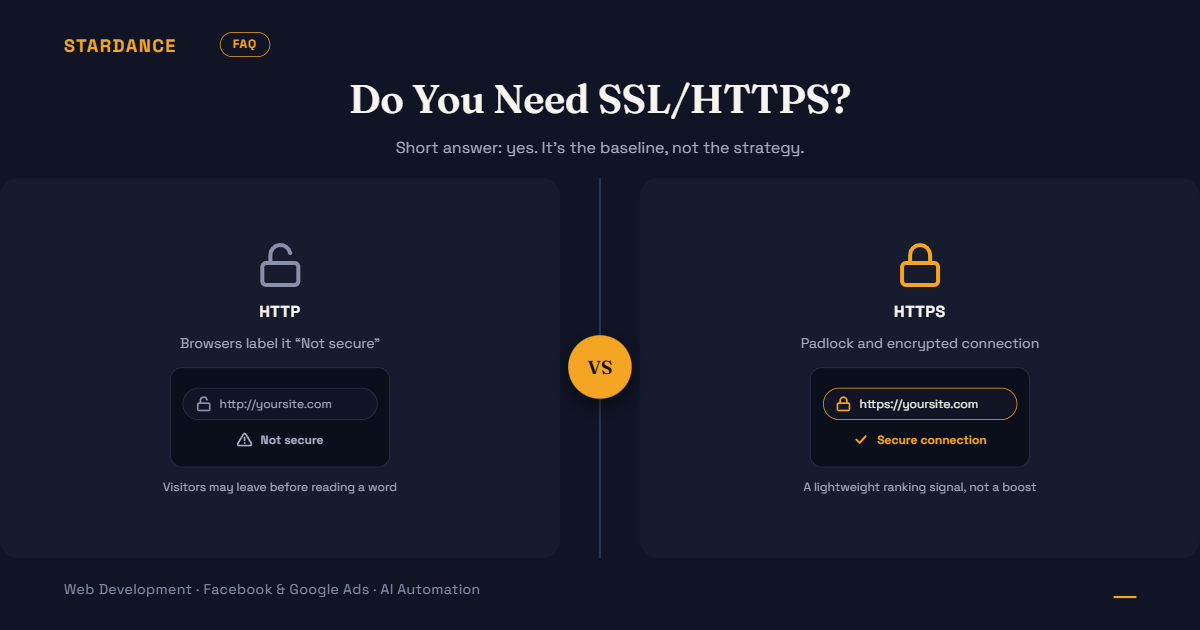
You’ve seen a “Not secure” warning next to a website, or someone told you SSL matters for SEO. Here are straight answers to the questions business owners ask most.
What is SSL, and how is it different from HTTPS?
SSL is the technology that encrypts the connection between your website and your visitor’s browser. HTTPS is what you see when it’s switched on.
A certificate on your website enables the encryption, and the address begins with https:// and shows a padlock. Strictly, the modern version is called TLS, but “SSL” is still the name everyone uses. If someone says “you need SSL,” they mean “your site should load over HTTPS.”
Do I need it?
Yes. Every business website should use HTTPS, whether or not it takes payments.
- Browsers warn about sites without it. Major browsers label HTTP sites “Not secure,” and some show full-page warnings when a visitor submits a form. Many people will leave before reading a word.
- Forms and logins need it. Anything a visitor types, such as a name, phone number, email or password, travels unencrypted on an HTTP site.
- Payments require it. You can’t take card payments through a gateway properly without it.
- It’s the standard now. A site without it looks neglected, which costs credibility even if the visitor never sees a warning.
Does HTTPS affect my Google ranking?
Yes, slightly. Google has said HTTPS is a ranking signal, but a lightweight one.
Don’t expect HTTPS to lift a weak site up the results. What it does is remove a disadvantage. The bigger SEO cost of skipping it is indirect: visitors who see a warning leave quickly, and forms that feel unsafe don’t get filled in. Content, relevance, links and site speed matter far more for ranking. HTTPS is the baseline, not the strategy.
How much does it cost?
Often nothing. Many hosts include a free certificate, and free certificate authorities such as Let’s Encrypt are widely used. Paid certificates exist, mainly for organizations that want extra identity verification, but a small business site rarely needs one.
If someone quotes you a large fee for “SSL” on a normal business site, ask exactly what it covers.
Is my site already secure?
Check the address bar. If it starts with https:// and shows a padlock or equivalent icon, a certificate is active. Then check three more things:
- Does
http://yoursite.comredirect tohttps://? Type the old address and see. - Does every page load securely? One page with insecure images or scripts can trigger a warning. This is called mixed content.
- Is the certificate current? Certificates expire. An expired one produces a full-page browser warning that scares visitors away.
What goes wrong most often?
- A certificate that expired because renewal wasn’t automatic
- Mixed content, where some images or scripts still load over HTTP
- No redirect from the HTTP version, so both versions exist and visitors see warnings
- Changing to HTTPS without updating links, sitemaps and analytics, which can disrupt tracking and search visibility
- The
wwwand non-wwwversions not both covered by the certificate
I switched to HTTPS. Will I lose my rankings?
Not if it’s done properly. The risk comes from sloppy migration, not from HTTPS itself. A correct move has permanent (301) redirects from every old HTTP address to its HTTPS equivalent, updated internal links, an updated sitemap, and the HTTPS version added in Google Search Console. This is the same principle as protecting rankings in any website change, which we cover in our article on revamping an old website.
Is HTTPS enough to make my website secure?
No. It protects the connection, not the site. A site on HTTPS can still be hacked through outdated software, weak passwords or vulnerable plugins. Keep your platform and plugins updated, use strong passwords and two-step login, and back up regularly. Think of HTTPS as a locked front door. It doesn’t protect against everything that can happen inside.
Quick checklist
- Site loads on
https://with no browser warnings http://redirects tohttps://- Both
wwwand non-wwwwork - No mixed-content warnings on key pages
- Certificate renews automatically, and you know the expiry date
- HTTPS version is set up in Google Search Console and your sitemap
Seeing “Not secure” on your site, or not sure whether it’s set up properly? We’ll check and fix it. [See how we approach web development and technical SEO →]