
22 October 2026
9 Signs Your Website Is Quietly Losing You Leads
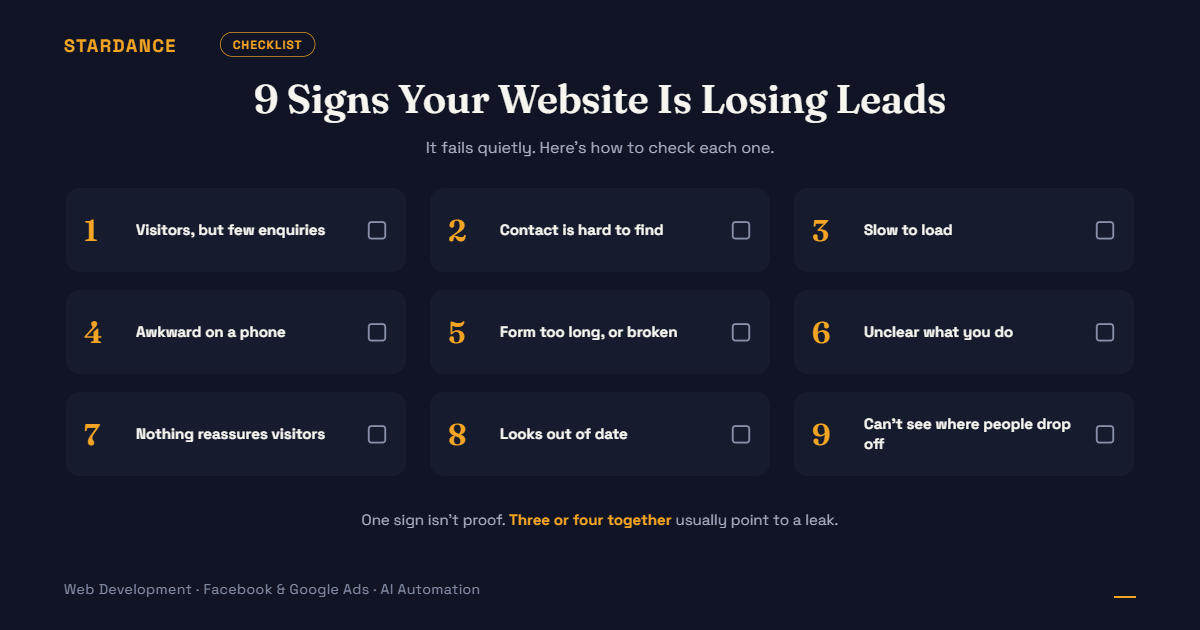
Your website is live, and you’re paying to send people to it through ads, search or referrals. But the enquiries aren’t matching the traffic, and nothing looks broken. That’s what makes a leaky website hard to spot: it fails quietly. People arrive, hesitate, and leave without saying why.
Here are nine signs to check, how to confirm each one, and what to do about it. One sign isn’t proof of a problem, but three or four together usually point to one.
1. You get visitors but few enquiries
What it looks like: traffic looks healthy, but the enquiry count is low or flat.
How to check: divide enquiries by visitors over the last 30 days to get your conversion rate, then compare it with typical ranges for your kind of site. We cover how in our post on how many leads your website should generate.
What to do: don’t buy more traffic yet. If conversion is low, extra visitors just add to the leak.
2. Visitors can’t find how to contact you
What it looks like: the phone number, form or WhatsApp button is buried in the footer, or only on a “Contact” page.
How to check: open your homepage and a service page on your phone. Without scrolling, can you see how to get in touch?
What to do: put one clear action near the top of every key page, such as “Get a quote,” “WhatsApp us” or “Book a call,” and keep it visible as people scroll.
3. The site loads slowly
What it looks like: pages take several seconds to appear, especially on mobile data.
How to check: run your key pages through a free speed tool such as Google PageSpeed Insights, and test on a phone using mobile data, not office Wi-Fi.
What to do: the usual causes are oversized images, too many plugins or scripts, and weak hosting. Fix the biggest images first. If speed problems are built into the platform, that’s one reason a rebuild can be worth considering.
4. It’s awkward on a phone
What it looks like: text is tiny, buttons are hard to tap, menus misbehave, or the form is a struggle on a small screen.
How to check: try to complete your own enquiry form on a phone, using one thumb.
What to do: design for mobile first, with large tap targets, short forms and click-to-call or click-to-chat buttons.
5. Your form is too long, or doesn’t always work
What it looks like: a form asking for ten details, or one that sometimes fails silently. In the worst case, leads submit it and you never see them, because notification emails land in spam or the form is misconfigured.
How to check: submit your own form from different devices and check that it arrives, how quickly, and where. Do this regularly, not just once at launch.
What to do: cut it down to what you need for a first reply (often name, phone and one qualifying question), confirm notifications are delivered reliably, and keep a backup copy of every submission. Routing enquiries to the right person automatically also helps, as we describe in our post on automating lead routing.
6. It’s not clear what you do within a few seconds
What it looks like: the homepage opens with a vague slogan or a generic stock photo, and a first-time visitor can’t tell what you sell, where, or for whom.
How to check: show your homepage to someone unfamiliar with your business for five seconds, then ask what you do.
What to do: lead with a plain statement of what you offer and who it’s for, and put the main benefit and next step above the fold.
7. Nothing reassures a visitor at the moment they decide
What it looks like: no reviews, client names, results, certifications or clear explanation of what happens after they enquire. A “Not secure” browser warning is the same problem in a more visible form (see our FAQ on SSL and HTTPS).
How to check: look at the area around your form or call-to-action. What would reassure a nervous first-time visitor, and is it there?
What to do: add real proof close to the decision point: a short testimonial, a client logo you have permission to show, a line on what happens next and how fast you reply.
8. The content and design look out of date
What it looks like: an old copyright year, discontinued services, outdated prices or hours, broken links, team photos of people who left, or a design that looks a decade old.
How to check: read your own site as a stranger would. Click every link in the main menu, and check any detail that changes, such as prices, contact details and opening hours.
What to do: update facts first, since wrong information costs trust fastest. Then decide whether the design needs a refresh or a rebuild. Our article on revamping an old website covers how to make that call without losing the rankings you’ve already earned.
9. You can’t see where visitors drop off
What it looks like: you don’t know which pages bring enquiries, which sources send the best leads, or where people leave. If you run ads, you may not be able to tell which campaign produced which lead.
How to check: can you answer these three questions today? Which page gets the most visits? Which source brings the most enquiries? Where do visitors leave the enquiry process?
What to do: set up proper analytics and conversion tracking, including form submissions, calls and WhatsApp clicks. Without tracking you’re guessing, and so is anyone you hire.
A 20-minute self-audit
- Open your site on your phone and try to contact yourself (signs 2, 4, 5).
- Time how long the main pages take to load (sign 3).
- Show the homepage to someone for five seconds (sign 6).
- Look near your form for reassurance (sign 7).
- Click through every menu link and check key facts (sign 8).
- Calculate your conversion rate and note what you can’t measure (signs 1 and 9).
Count how many checks went badly. Zero or one: you’re probably fine, and a small fix may do. Two or three: fix those first. Four or more: your site is likely costing you leads every day, and it’s worth a proper review.
Fix in this order
- Anything that stops an enquiry arriving: broken forms and missing notifications.
- The contact path: a clear action on every key page.
- Mobile and speed.
- Clarity and trust: what you do, who it’s for, and proof.
- Tracking, so you can see whether the changes worked.
This order puts the cheapest, highest-impact fixes first, and you don’t need a full redesign to do most of it.
Not sure where your website is leaking leads, or want a second opinion before you spend more on ads? [See how we approach conversion-focused web development →]